Free Video Repair Tool for Windows

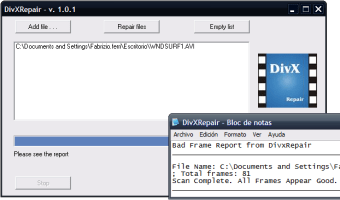
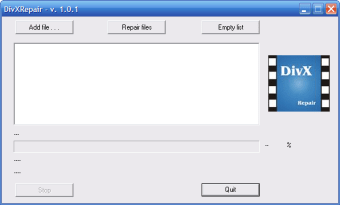
DivXRepair is a free software application designed for Windows users, specifically within the multimedia category. This tool specializes in repairing damaged or corrupted DivX video files, making it a valuable utility for anyone dealing with playback issues. Its user-friendly interface allows users to easily navigate through the repair process without requiring advanced technical skills.

Top Recommended Alternative
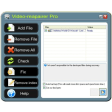
The functionality of DivXRepair is tailored to restore video files to their original quality, enhancing the viewing experience. Users can quickly load their corrupted files and initiate repairs, with the software handling the technical aspects in the background. Overall, DivXRepair serves as a practical solution for restoring video content without the need for costly software solutions.


 0/2

App specs

  • License

    Free

  • Version

    1.01

  • Latest update

  • Platform

    Windows

  • OS

    Windows 2000

  • Language

    English

  • Downloads

    24.3K

    Last month's downloads

    • 13
  • Size

    434.31 KB

  • Developer

Program available in other languages


Icon of program: DivXRepair

DivXRepair for PC

  • Free
  • 3
    29
  • 24.3K
  • V1.01

User reviews about DivXRepair

3

1 reviews

Add review

Main reviews for you

  • Anonymous user

    Wold not repair a large corrupted divx file. I had a folder with 2 avi files and one divx file in it, the divx file being corrupted. The gui of DivXRepair, upon browsing to that folder, saw one of the avi files, but not the other, at first. After opening and closing DivXRepair several times, it eventually started seeing both avi files, but it never did see the divx file. However, typing the exact file name (filename.divx) into the "open" window after browsing to the proper folder allows it to seemingly load the file. However, it did not do anything to the file in question, so I have no idea whether it will repair anything or not. It didn't repair that one, and I've never had a corrupted avi or divx file other than that one to test it on.On the ratings that have to be filled in for a review, I cannot give any rating to things such as stability. I've only used it (or tried to use it) on this one occasion, so there's no way I can give it a decent numerical evaluation. I tested it on the avi files, but it showed that they weren't corrupted, which is certainly true, since they are perfect. What you do is browse to the folder with your files in it, select the file from the list that's populated in the open window, then select the file in the DivXRepair gui, then click repair. It then comes up with a bad frame list. It might be, in this case, that the file is too large for the program: it was a 1.34 gb file, almost 4 hours long, I had downloaded on March ‎10, ‎2010. The sound was good but the video was completely corrupted. Pros: Program is simple Cons: Functionality

More

You may also like

Alternatives to DivXRepair

Explore Apps

Latest articles

Laws concerning the use of this software vary from country to country. We do not encourage or condone the use of this program if it is in violation of these laws.
Softonic

Is DivXRepair safe?

100/100

Score result: Clean

This file passed a comprehensive security scan using VirusTotal technology. It is safe to download.

  • Virus free
  • Spyware free
  • Malware free
  • Verified by Security Partners

    VirusTotal logo

Scan Info

Last scan
Friday, November 17, 2023
Scan provider
VirusTotal · Full report

File Integrity

File
DivXRepair_BIN_v1.0.1.zip
SHA256
e3593a431b392c39a34f7f28e5948a8c882ba380d612b5894992c74d6736e903
SHA1
24fc9e88f7e03ea39eaf721e680624caa02863f7

Softonic security commitment

DivXRepair has been thoroughly scanned by our advanced security systems and verified by industry-leading partners. This file comes from the official developer and has passed all our security checks, showing no signs of viruses, malware, or spyware. For more information, visit our Security and Trust Center